
Available · Android 8.0 and above
Digital prescription app for doctors
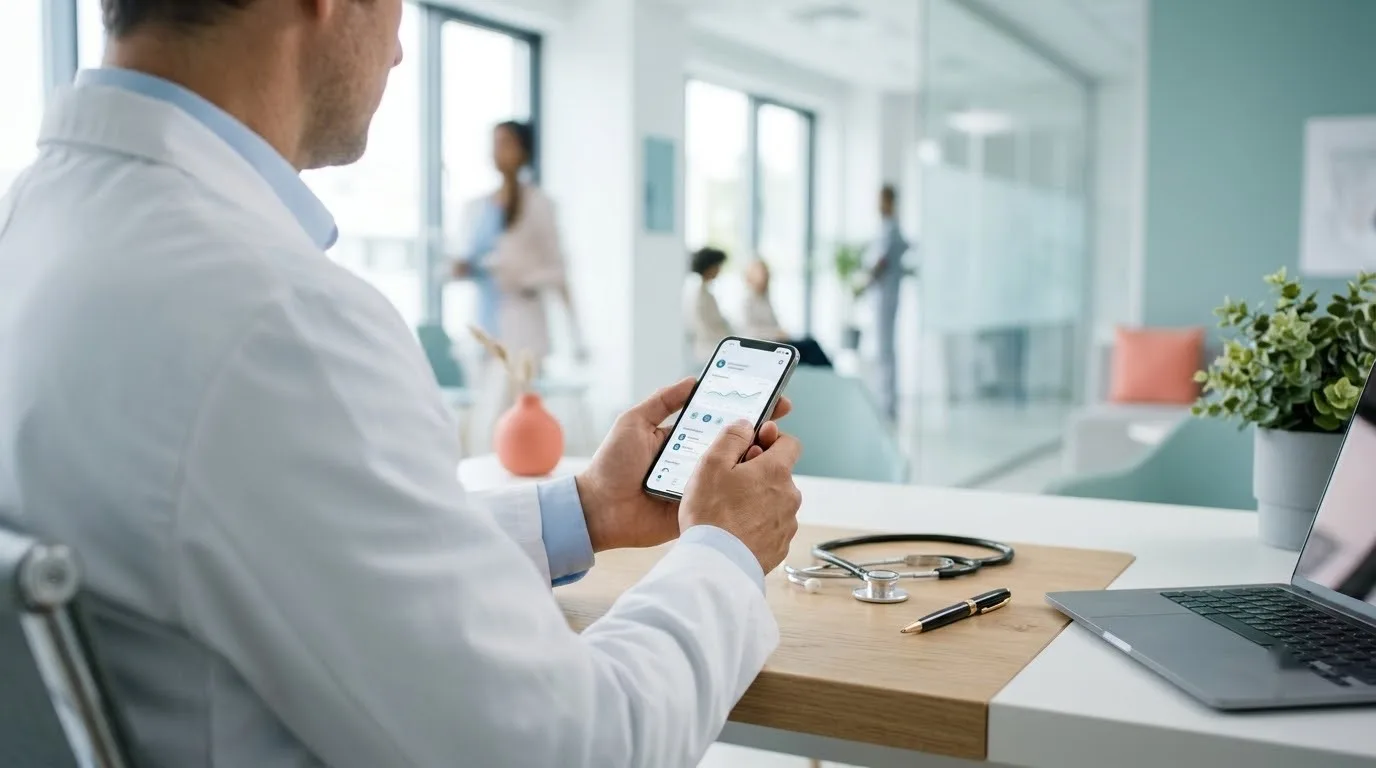
Your prescription pad, on your phone: an e-prescription app for doctors. Type the patient's name and medicines, and the app lays out a clear, numbered US Letter prescription on your own letterhead, with your logo and signature, and sends it to the patient's WhatsApp in two taps. Certificates and bills come from the same app, and it all works offline.
USA
Digital prescription app in the USA
For US practices the app prints your NPI and state licence on a US Letter prescription with your practice letterhead. It does not send prescriptions to pharmacies electronically and does not handle controlled substances (EPCS), so it suits printed prescriptions, visit notes and work or school notes where your state allows paper. It is not on Google Play in the US yet; we set it up for you.
In the consulting room
From your phone to the patient's in under a minute
The app is a writing and sharing tool. It never suggests medicines or doses; you decide, and your name, registration number and signature are on every page.

Write while you talk
Patient name, age and mobile, then each medicine with its 1-0-1 dose and a line of instructions. Names you have typed before are suggested, so regular prescriptions take seconds.
On the patient's WhatsApp
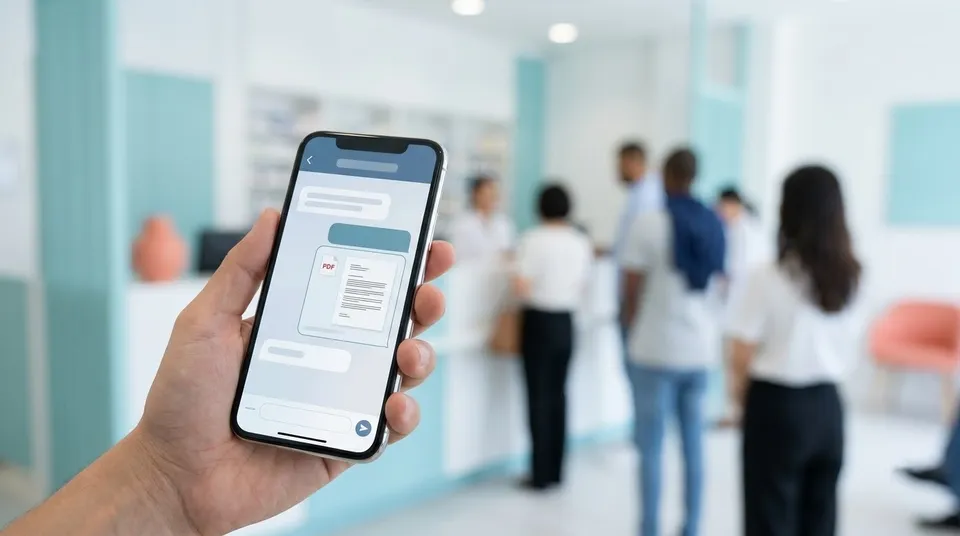
The PDF opens straight in the patient's WhatsApp or WhatsApp Business chat. Share to any other app or print it. The mobile number is used for sending and is never printed.
Ready for dental clinics
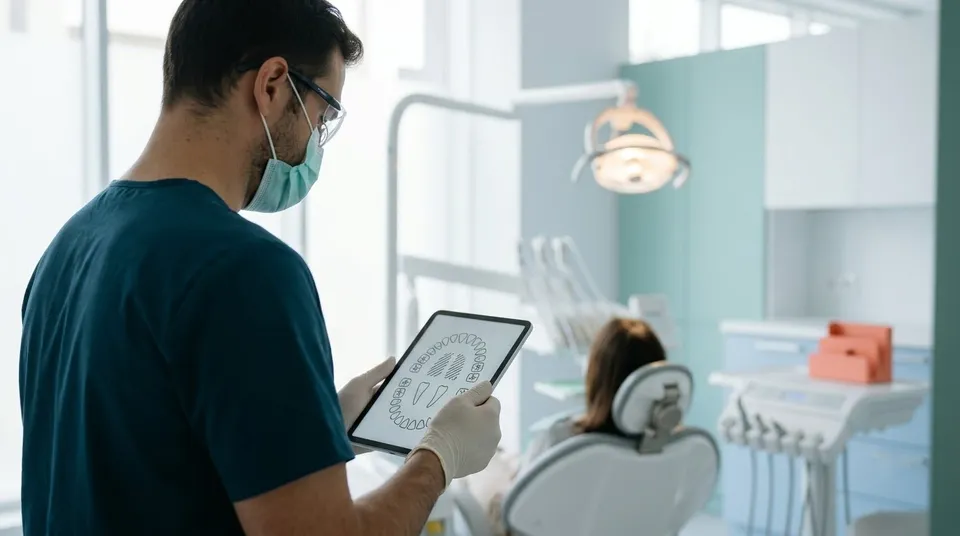
Mark the teeth treated on a tooth chart, keep each patient's case history, and hand over the prescription and the bill on the clinic's letterhead.
Why the paper pad lets doctors down
| Old method | New method |
|---|---|
| Handwriting the chemist, the patient or a relative has to decipher later | A typed, one-page US Letter prescription on your letterhead |
| Slips lost or photographed badly, and calls to ask what the third tablet was | Sent to the patient's WhatsApp, so they always have a clear copy |
| The whole list written again for every repeat | Repeat a past prescription in one tap |
| No record of what was prescribed on which day | Every prescription numbered and searchable |
| Bills in a separate book, and pads reprinted whenever timings change | Bills on the same letterhead; change your timings in the app, nothing to reprint |
How it works
- Download and sign upInstall from Google Play and sign up with your name, e-mail and medical registration number. A doctor added by a clinic types the sign-in code the clinic gives them.
- Set up your letterheadYour name, qualifications, registration number, contact details, clinics and timings, logo and signature. In a clinic, the admin sets it once for everyone.
- Write the prescriptionPatient details, then each medicine with its morning, afternoon and night dose and instructions. Certificates and bills work the same way.
- Share or printA one-page US Letter PDF with the date and number, sent to WhatsApp, shared to any app, or printed.
What the app does
Everything a busy outpatient session needs, and nothing that slows you down.
- Your letterheadName, degrees, registration number, clinic address, timings, logo and signature on every page. Either the logo or the signature can be left off.
- Medicines in the familiar formatThe 1-0-1 dosing doctors already write, an instructions line such as "after food, for 5 days", and up to 12 medicines on one page.
- Medicine names rememberedThe app learns the names you type and suggests them next time, spelled the same way every time.
- Numbered documentsRX/2026/0001 style numbering, counted per year, with separate series for certificates and bills.
- History and repeatSearch by patient name, mobile or number. Open any entry to rebuild its PDF exactly as issued, or tap Repeat.
- Medical certificatesType the text and the app fits it to one page on your letterhead, with its own number.
- Bills and case historyThe bill for the visit with the amount in words, kept with the patient's case history so the next visit starts where the last ended.
- Up to three clinics on one padDoctors who consult in more than one place show every clinic, with addresses and timings, on the same letterhead.
- Letterhead designsChoose the design that suits your practice and see it on the next prescription.
- Works offlineWriting, the PDF and searching need no internet. WhatsApp needs data only to send.
- Print from the phoneSend the page to a printer when a patient wants paper.
- Backup to a fileKeep a copy of your history and restore it on a new phone.
For clinics and hospitals
One web admin panel for every doctor
The clinic runs its doctors from a browser, while each doctor works on their own phone.
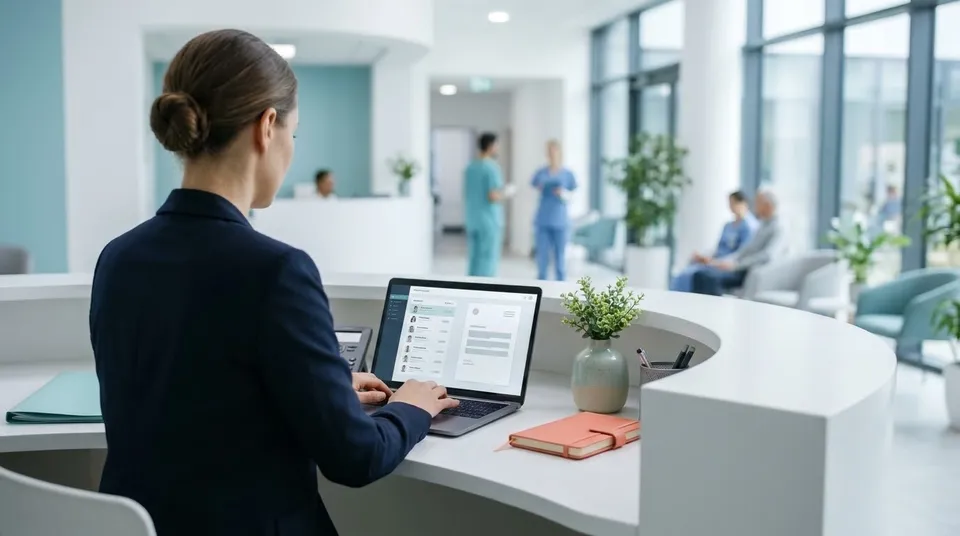
- Add doctors with their registration number and give each a one-time sign-in code or QR. No passwords to hand out.
- One letterhead for everyone: the clinic's letterhead, logo and bill format set once with a live PDF preview, sent to every doctor's phone.
- Locked where it matters: staff using a doctor's phone cannot change the doctor's name, registration number or signature.
- Practice types: individual, clinic, hospital or dental, so each doctor sees the screens their practice needs.
- Pairs with our other products: front-desk registration with the patient kiosk, walk-in tokens with queue management, and follow-up at home with remote monitoring.
Real output
What your patients receive
Made by the app's own letterhead engine, shown here in a clinic's own colours. The doctor, clinic and patients are fictional sample data.
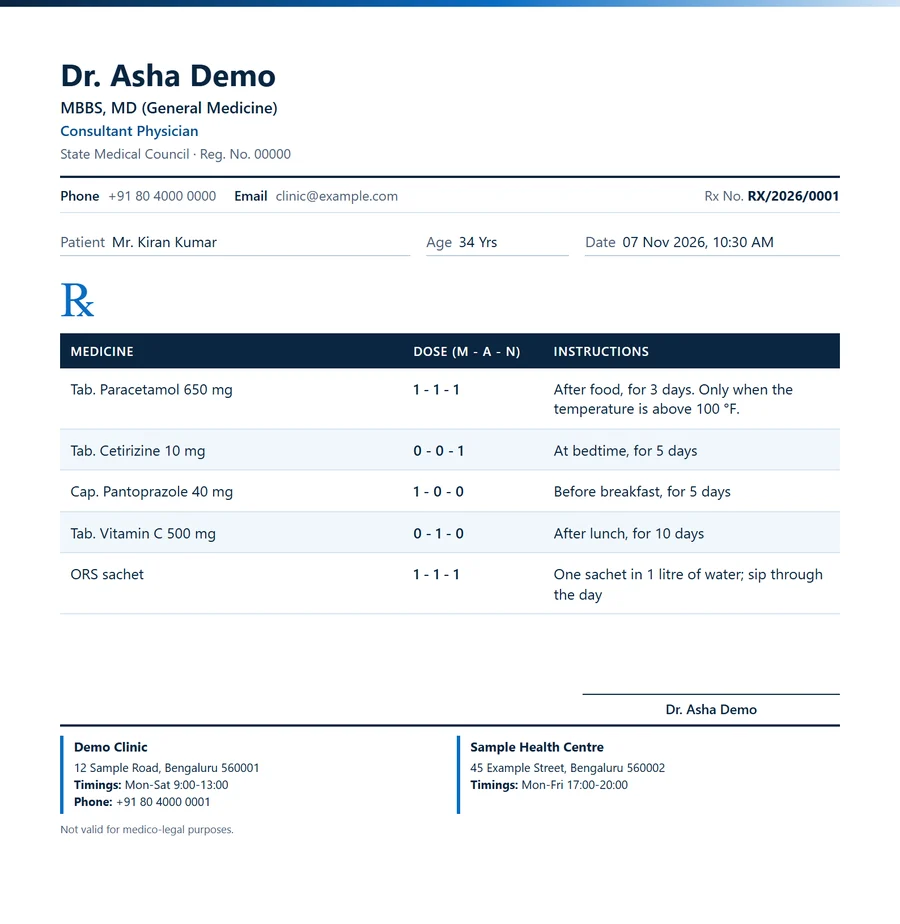
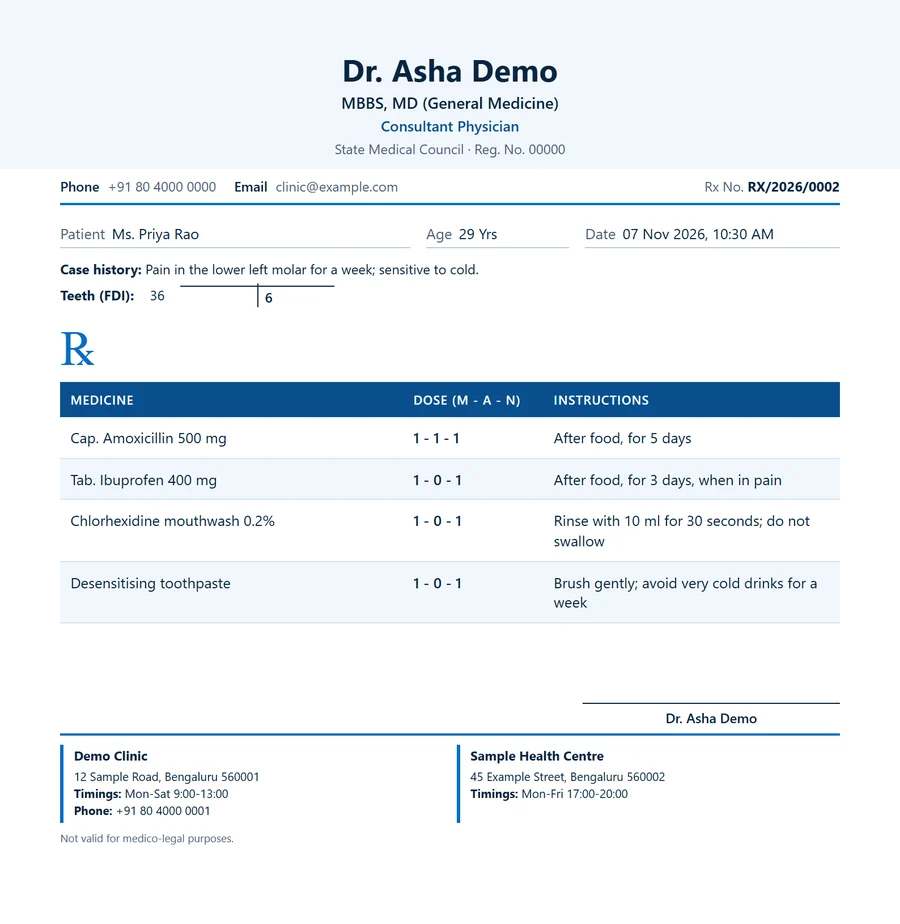
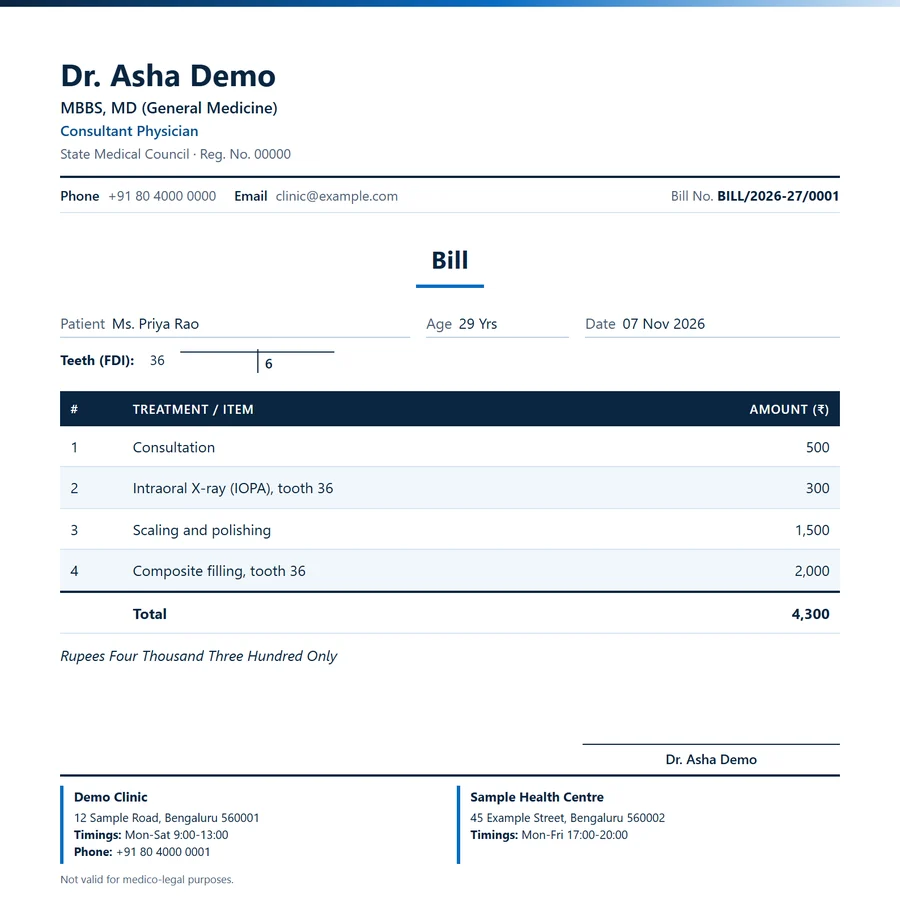
What the app does, and who decides
| Area | What the app does | Who decides |
|---|---|---|
| Medicines and doses | Records and prints what the doctor types | The doctor |
| Sharing | Sends the PDF when the doctor taps Share | The doctor |
| Patient records | Keeps them on the doctor's phone, searchable | The doctor |
| Rules for prescriptions | Prints the registration number and signature on every page | The doctor follows the rules that apply to them |
Who uses it
Doctors in private practice
General physicians, diabetologists, paediatricians and other consultants who want typed, numbered prescriptions and bills without buying a full clinic system.
Doctors in more than one place
A doctor who sits in a diagnostic centre in the morning and their own clinic in the evening carries one letterhead with both, on the phone that is always with them.
Clinics, hospital OPDs and dental clinics
Every doctor gets the same letterhead from the admin panel, and dental clinics get the tooth chart and case history.
Your data, and only real doctors
- On the phone: patient names, ages, medicines and every prescription, certificate and bill. They are not sent to our servers.
- On our servers: your clinic, letterhead, logo, signature, login and plan.
- Only registered doctors: sign-up needs a medical registration number and a declaration. Until our team has checked your registration certificate, every PDF says NOT VERIFIED.
- When a plan ends: your history stays readable and shareable; only new prescriptions and certificates stop.
- Deleting: you can delete your account from inside the app.
Customisable
Built around your practice
A practice, clinic chain or hospital can have the app shaped to the way it works: its own fields on the prescription or bill, its own letterhead and numbering rules, other languages, its own branding, reports for the management, or a link to its hospital, lab or pharmacy system.
How to start
A single doctor can start with a 14-day trial; we set the app up for you. Clinics and hospitals tell us about their doctors and branches, and we set up the admin panel, the letterhead and the sign-in codes with them. We do not publish prices; ask us for a quote.
Frequently asked questions
What is a digital prescription app?
An app a doctor uses instead of a paper pad. You type the patient's details and medicines on the phone, and the app produces a typed prescription on your own letterhead that can be sent to the patient or printed.
Where do I download it?
In India, from Google Play, for Android phones and tablets with Android 8.0 or later. In other countries we install and set it up for you. iPhone and iPad versions are available on request.
Is it an e-prescription app?
Yes, in the sense of a digital prescription pad: it produces a typed, numbered prescription PDF on your letterhead that you send to the patient or print. It does not send prescriptions electronically to a pharmacy system (such as e-prescribing networks in the US or UK).
Who can sign up?
Registered medical practitioners and dentists. Sign-up asks for your medical registration number and a declaration. Until our team has checked your registration certificate, every PDF carries a NOT VERIFIED mark.
Is there a trial?
Yes. Every doctor starts with a 14-day trial with prescriptions, certificates, WhatsApp sharing and history. After that you choose a plan with us; the app itself never asks for payment.
Will the prescription look like my current pad?
Yes. You add your name, qualifications, registration number, contact details, clinics and timings, logo and signature, and choose a letterhead design. In a clinic, the admin sets the letterhead once on the web admin panel.
Does it need an internet connection?
Not to write a prescription. Writing, making the PDF and searching the history work offline. WhatsApp needs data only to send the PDF.
How do patients receive the prescription?
With the patient's mobile number, the PDF opens directly in their WhatsApp or WhatsApp Business chat. You can also share it to any other app or print it from the phone.
Are prescriptions numbered?
Yes. Each prescription gets a number such as RX/2026/0001, counted per year and printed on the page. Certificates and bills have their own number series.
Can I make bills and certificates?
Yes. Bills for the visit with the amount in words and their own number, and medical certificates fitted to one page, all on your letterhead. Dental clinics can mark treated teeth on a tooth chart.
Can I find an old prescription again?
Yes. Search the history by patient name, mobile number or document number. Opening an entry rebuilds the PDF exactly as it was issued, and Repeat starts a new prescription with the same medicines.
Where is patient data stored?
On the doctor's phone. Patient names, medicines, prescriptions and bills are not sent to our servers; our servers hold your clinic, letterhead, logo, signature, login and plan.
Does the app suggest medicines or doses?
No. It remembers medicine names you have typed before so they are quick to enter, but it never suggests what to prescribe. You decide and stay responsible for every prescription.
Can several doctors in one clinic use it?
Yes. The clinic's web admin panel adds each doctor with a one-time sign-in code and gives everyone the same letterhead.
Put your prescription pad on your phone
A short demo on WhatsApp video or a call, at a time that suits you.